01 / Quick tour
Navigate, search, and read
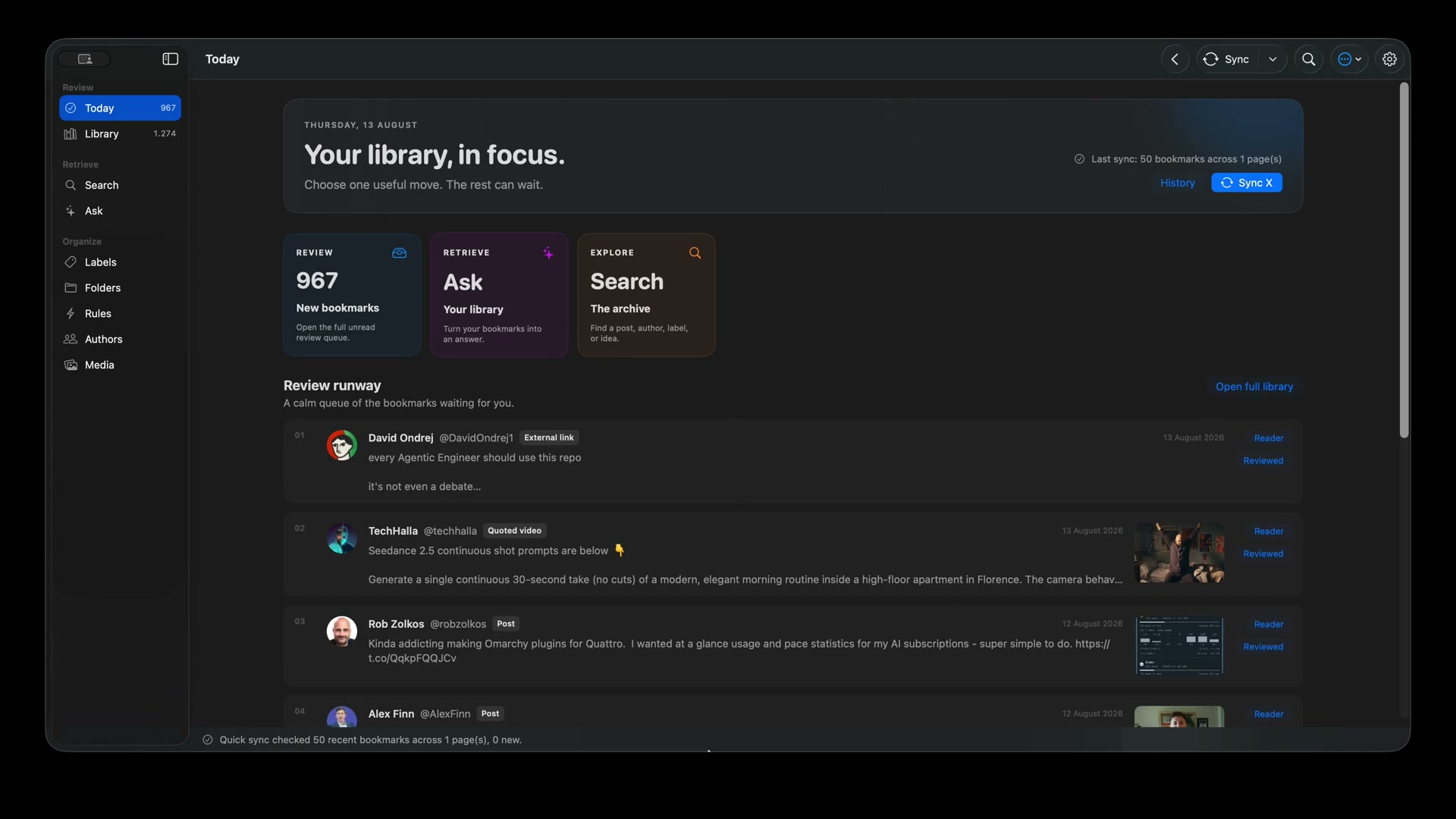
See Today, the visual library, advanced search, and the focused Reader.
 Talonfor Mac
Download free
Talonfor Mac
Download free
Native on macOS. Private by design.
Search the words you remember. Read threads and articles without reopening the timeline. Ask questions and get answers linked to the posts you saved.
Test every feature with up to 30 bookmarks. Upgrade to unlimited from inside Talon for $39 once.
TalonLibrary
See Talon working
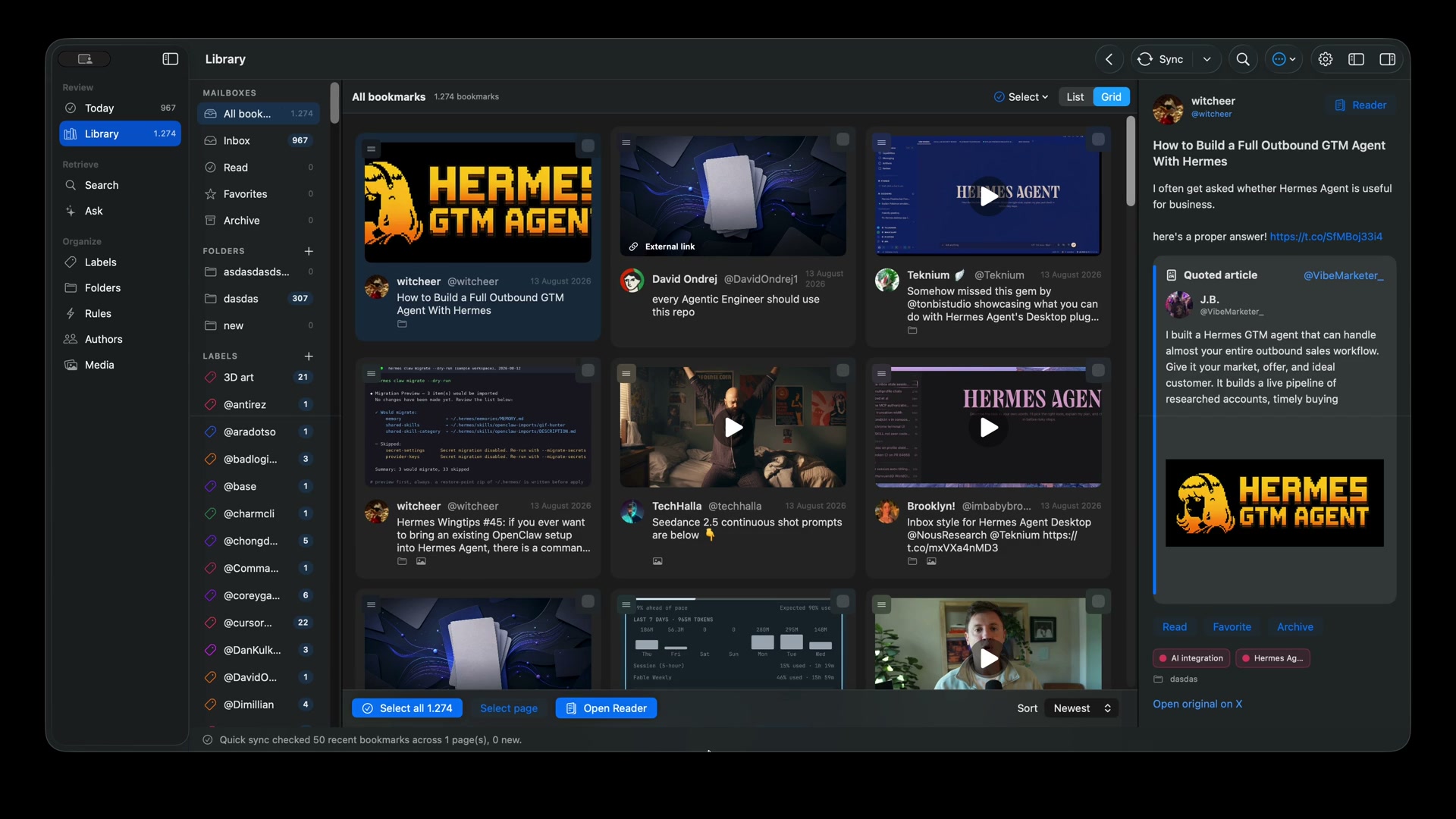
Start with the quick tour, then look closer at organization, search, media, and the AI provider running a live Ask request.
See Today, the visual library, advanced search, and the focused Reader.
Thread enrichment, summaries, labels, folders, rules, authors, media downloads, and advanced filters.
Configure a provider, load its models, ask a question, and watch the answer arrive.
Everything in one native app
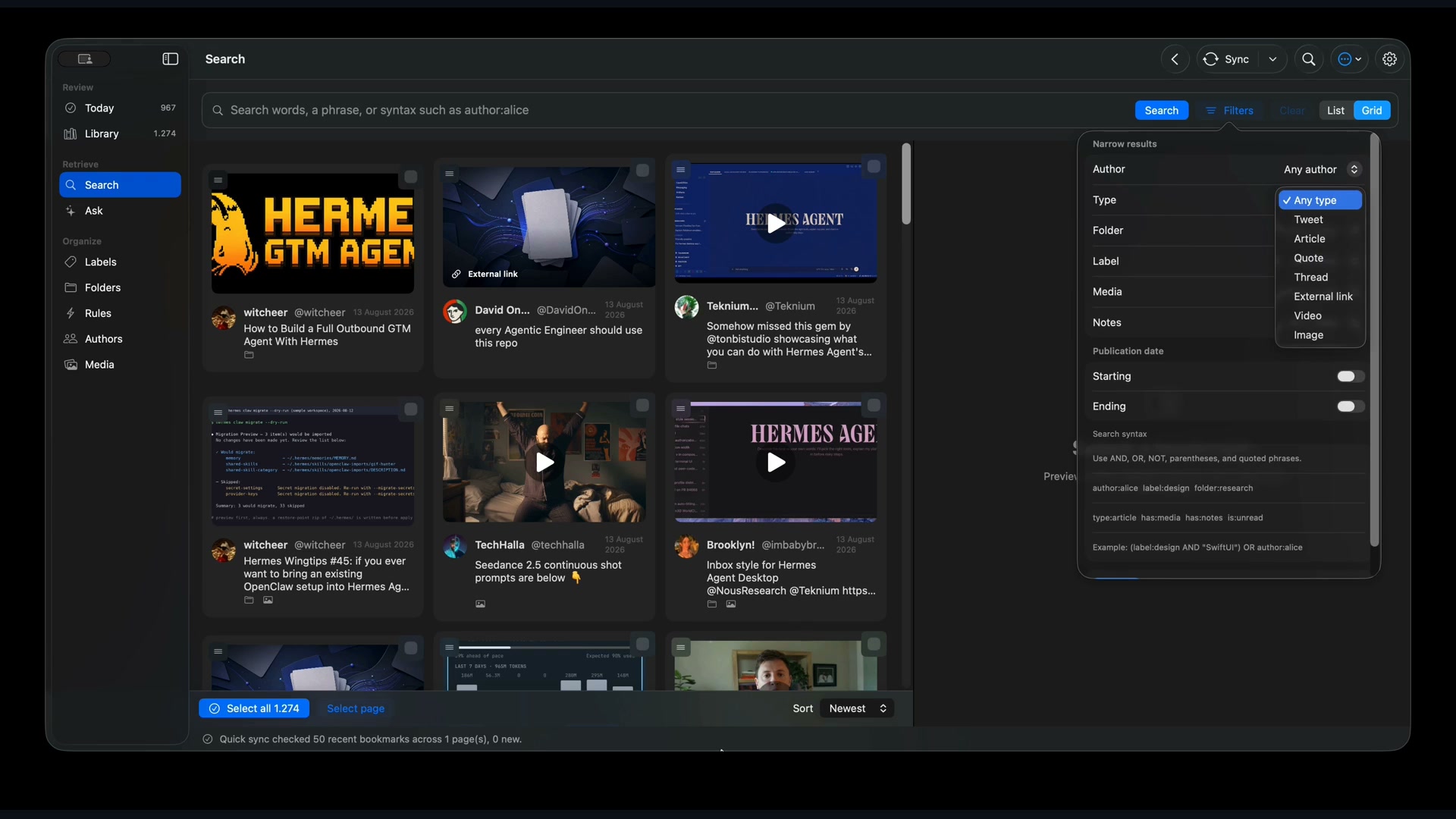
Browse as a list or visual grid, use exact search, then narrow by author, content type, folder, label, media, notes, or date.
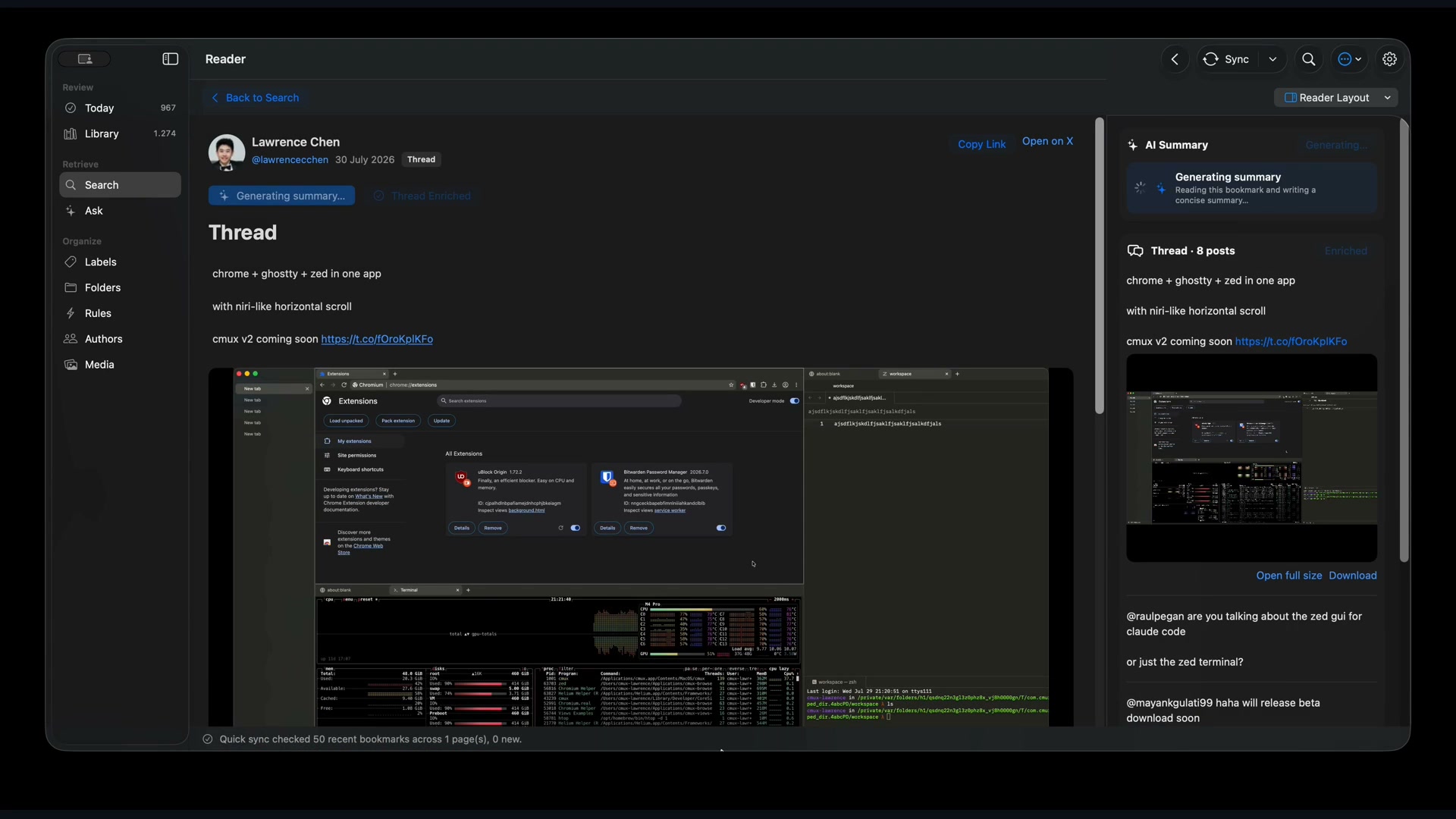
Talon recognizes posts, articles, quoted articles, threads, videos, and external links. Images stay where they belong in the article, and thread context is one click away.
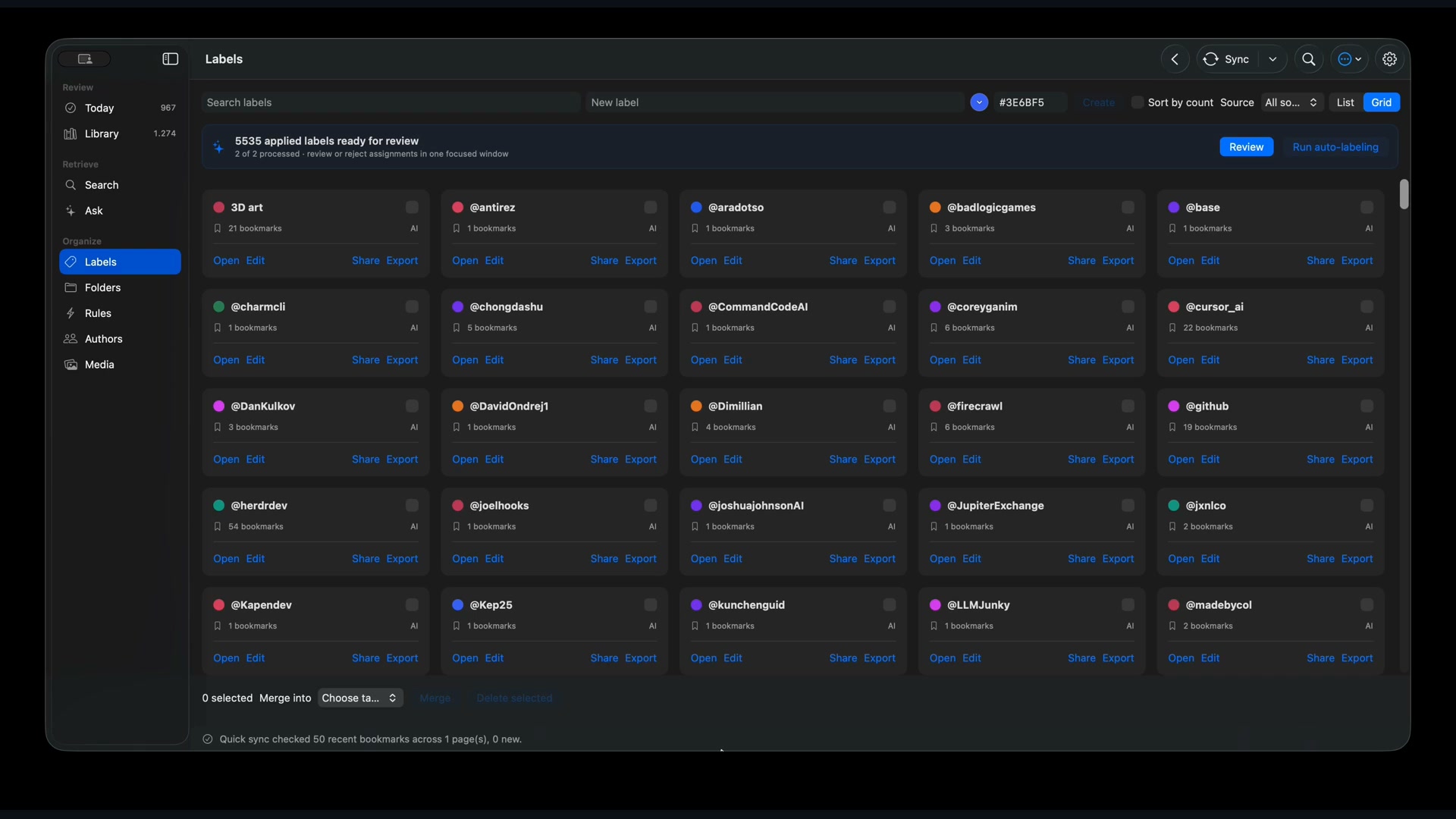
Add folders, colored labels, notes, favorites, and archive state. Rules can organize new bookmarks automatically, while author views keep people easy to revisit.
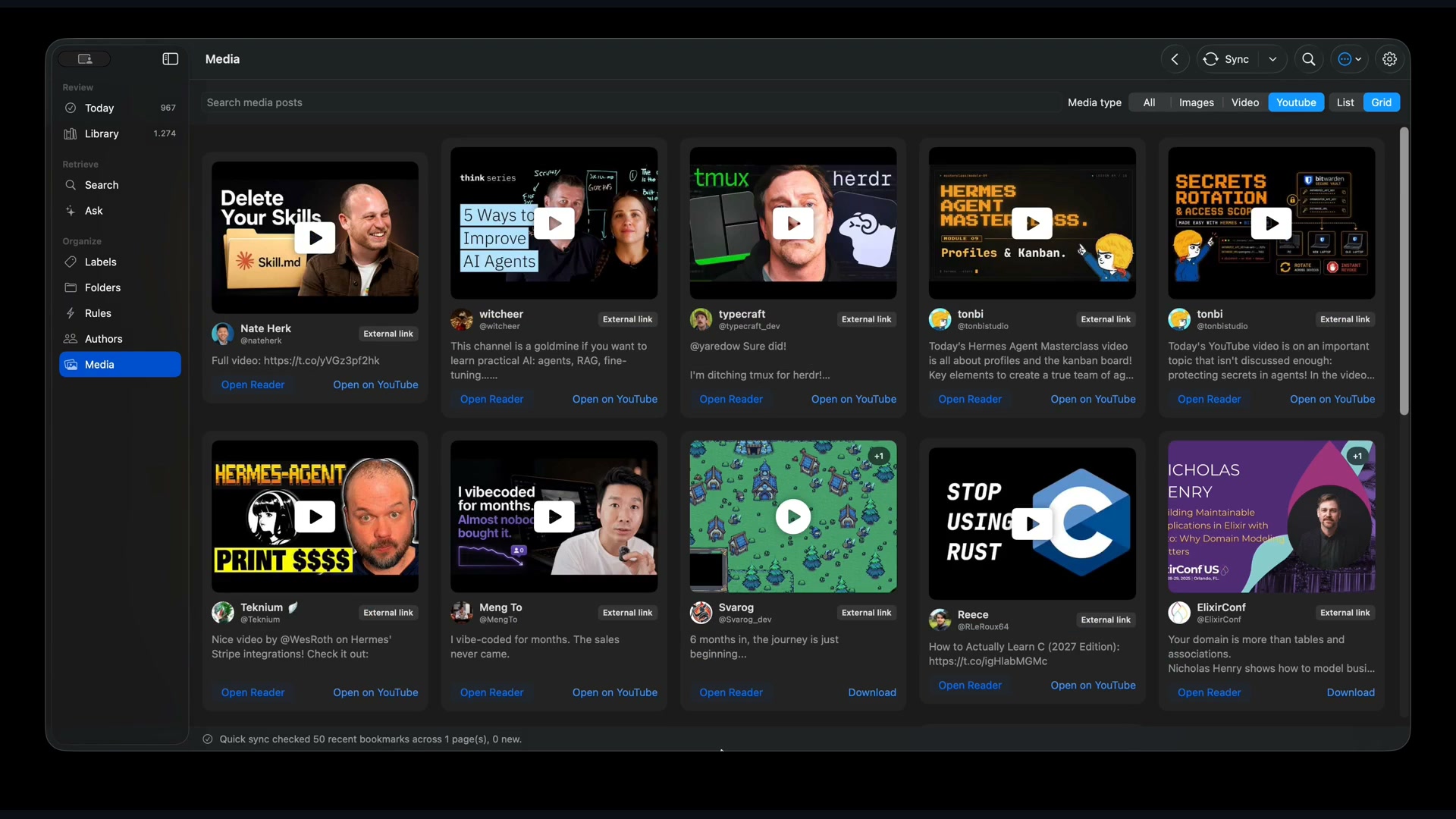
Filter images, videos, animated GIFs, and YouTube links in one gallery. Open the source post or download the original media to your Mac.
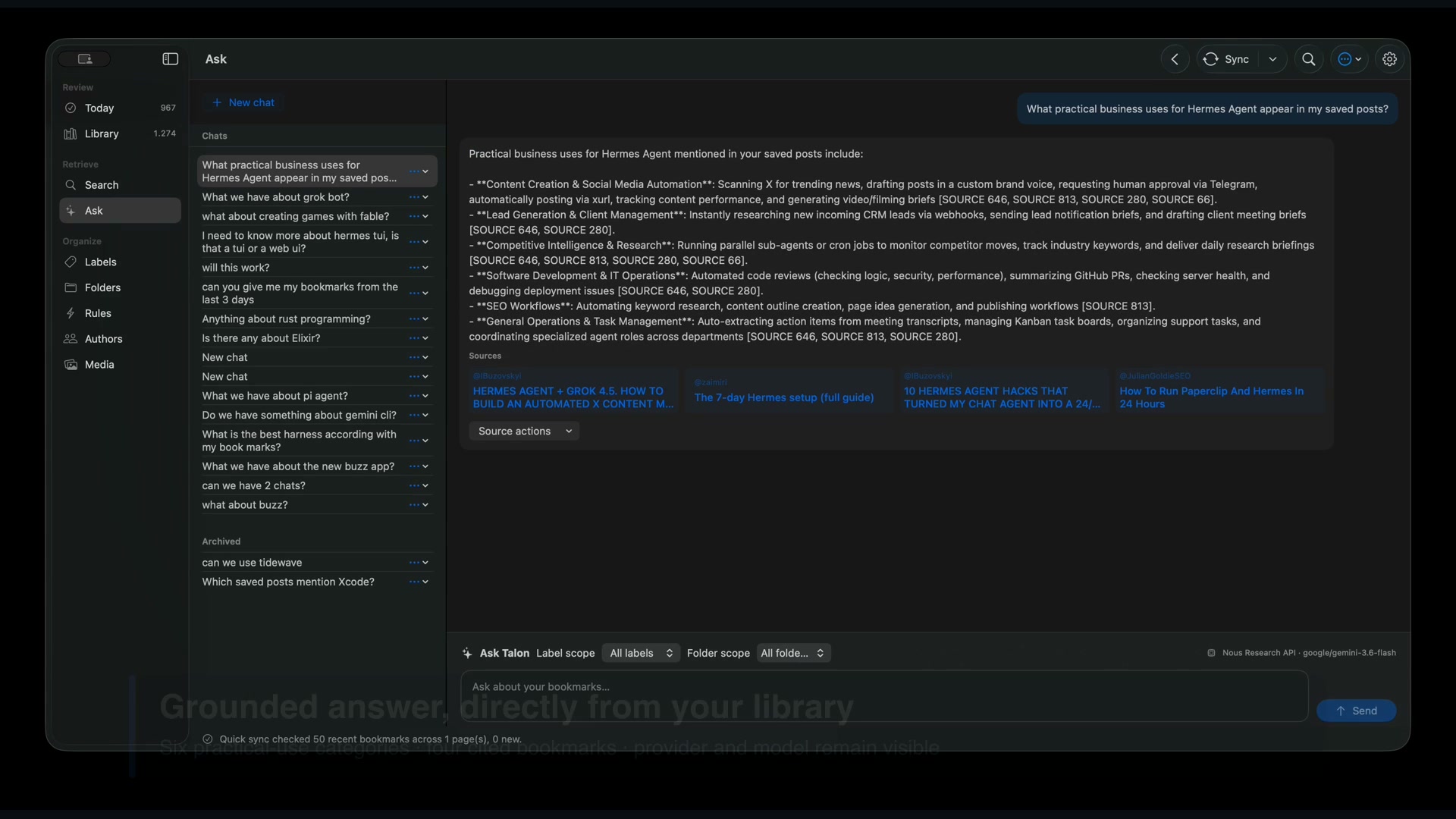
Talon retrieves the relevant bookmarks on your Mac, streams the answer, and keeps every citation linked to Reader. Separate conversations keep different projects from mixing together.
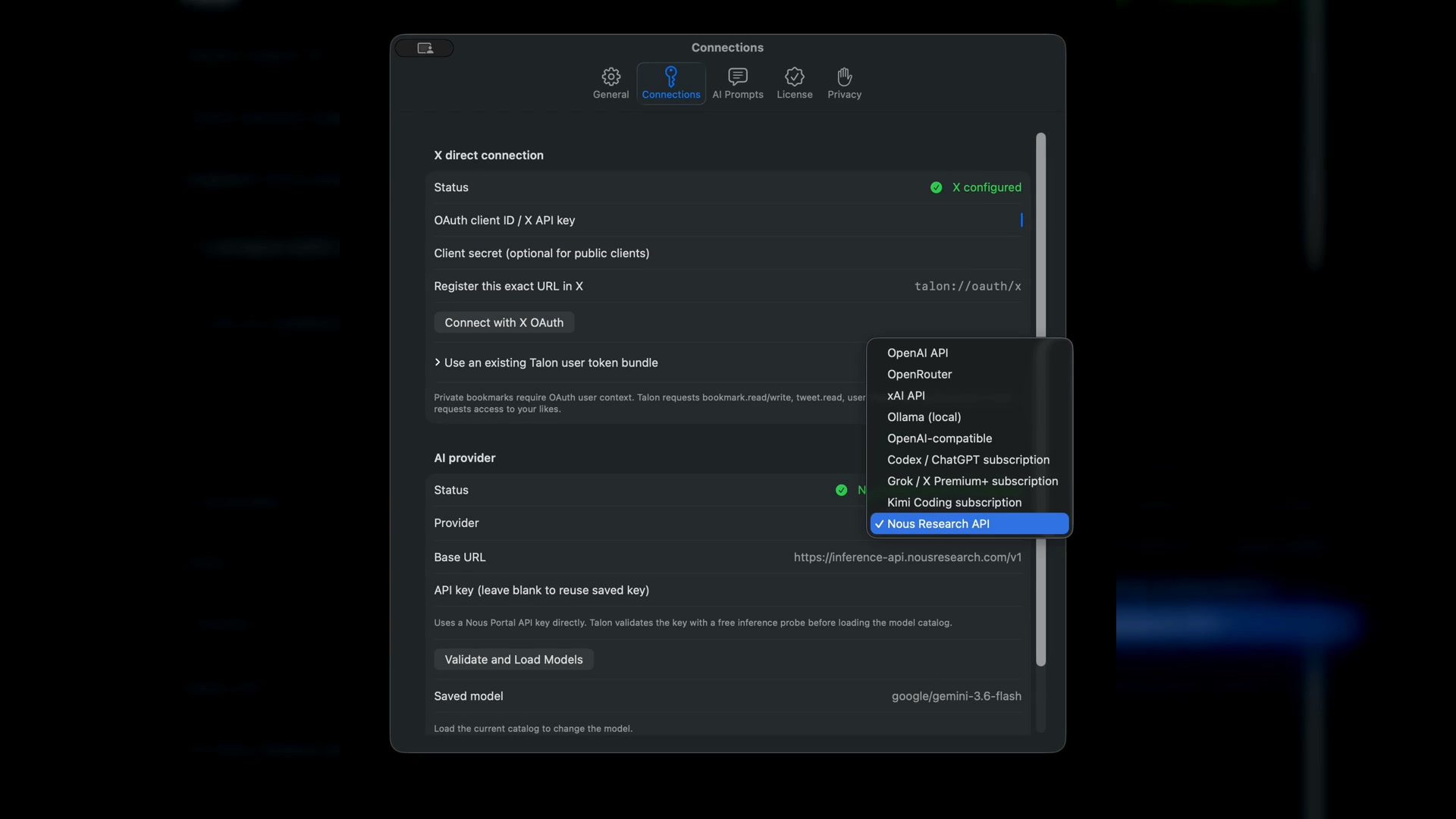
Validate the endpoint and credentials first, load the provider's current model list, and choose a model from the menu instead of typing one from memory.
Today shows what arrived, what is unread, and where to continue. It gives you a calm route into Reader, Search, or Ask without putting the feed back in front of you.
Private by architecture
Your Mac
Your AI provider
Bookmarks, notes, labels, chat history, and search indexes live in a local SQLite database. Tokens and provider keys stay in macOS Keychain.
Talon connects directly to your X developer app and the AI provider you choose. Export bookmarks as JSON, CSV, or Markdown whenever you want.
Talon for Mac 1.1.1
The free edition includes every reading, search, organization, media, and AI feature for up to 30 bookmarks. The app takes you back here when you choose Upgrade to Unlimited.
Free for 30 bookmarks
$0 No time limitUse every Talon feature with a library of up to 30 bookmarks.
Paid
$39 USD onceKeep the same app, local library, settings, and providers. Activation is immediate.
Requires macOS 14+ on Apple Silicon and access to the X API. Read the setup and external-cost guide.
Questions before or after purchase? support@talon.im
Already purchased?
Before you download
No. Talon is a one-time purchase. Pay once and keep using the version you bought forever, with unlimited bookmarks and every version 1 update included.
Yes. Configure an X OAuth 2.0 app with talon://oauth/x
as its exact callback URL. X uses prepaid, pay-per-use API credits and controls
availability, limits, pricing, and account eligibility.
See the complete setup guide.
No. Organization and exact search work without AI. For AI features, use a provider API key, local Ollama models, or a supported Codex, Grok, or Kimi Coding subscription.
Talon supports OpenAI, OpenRouter, xAI, Nous Research, OpenAI-compatible endpoints, local Ollama models, and subscription access through Codex, Grok, and Kimi Coding. For API providers, Talon validates the URL and key before it loads the model menu.
X currently publishes owned bookmark reads at $0.001 per resource when you own the X account and developer app; other operations can cost more. Set a spending limit in X. AI is optional, and its provider controls any usage charge or subscription limit.
Your library stays in a local SQLite database and credentials stay in macOS Keychain. You can export bookmarks and download media whenever you want.
The purchase unlocks unlimited bookmarks on your personal Macs and includes every version 1 update. A future paid major upgrade, if any, will be optional.
Enter the email used at checkout in the purchase-recovery form above. Talon emails a reusable signed license for version 1. This includes purchases made before the free edition launched.
It includes the complete local app and every organization, reading, search, media, and AI feature for up to 30 bookmarks. Talon never deletes existing data when the limit is reached; unlimited sync resumes immediately after activation.
Email support@talon.im. Messages go directly to the Talon support inbox.